





Match your art to our color chart
Pick a color in your design, tap the swatch you want from our chart, and we swap it for you. Want more choices? Get a free strip of 20 shades around any color, printed with their codes.
Add your design
PNG files only. A transparent background works best.
Pick the color to change
Use the dropper: click the color in your design. Scroll or pinch to zoom, drag to move.
Tap your swatch
Same layout as your printed chart. Find your swatch by its letter and row number, then tap it.
Free printed chart on 9 Color, Legacy or Glitter DTF. Get yours
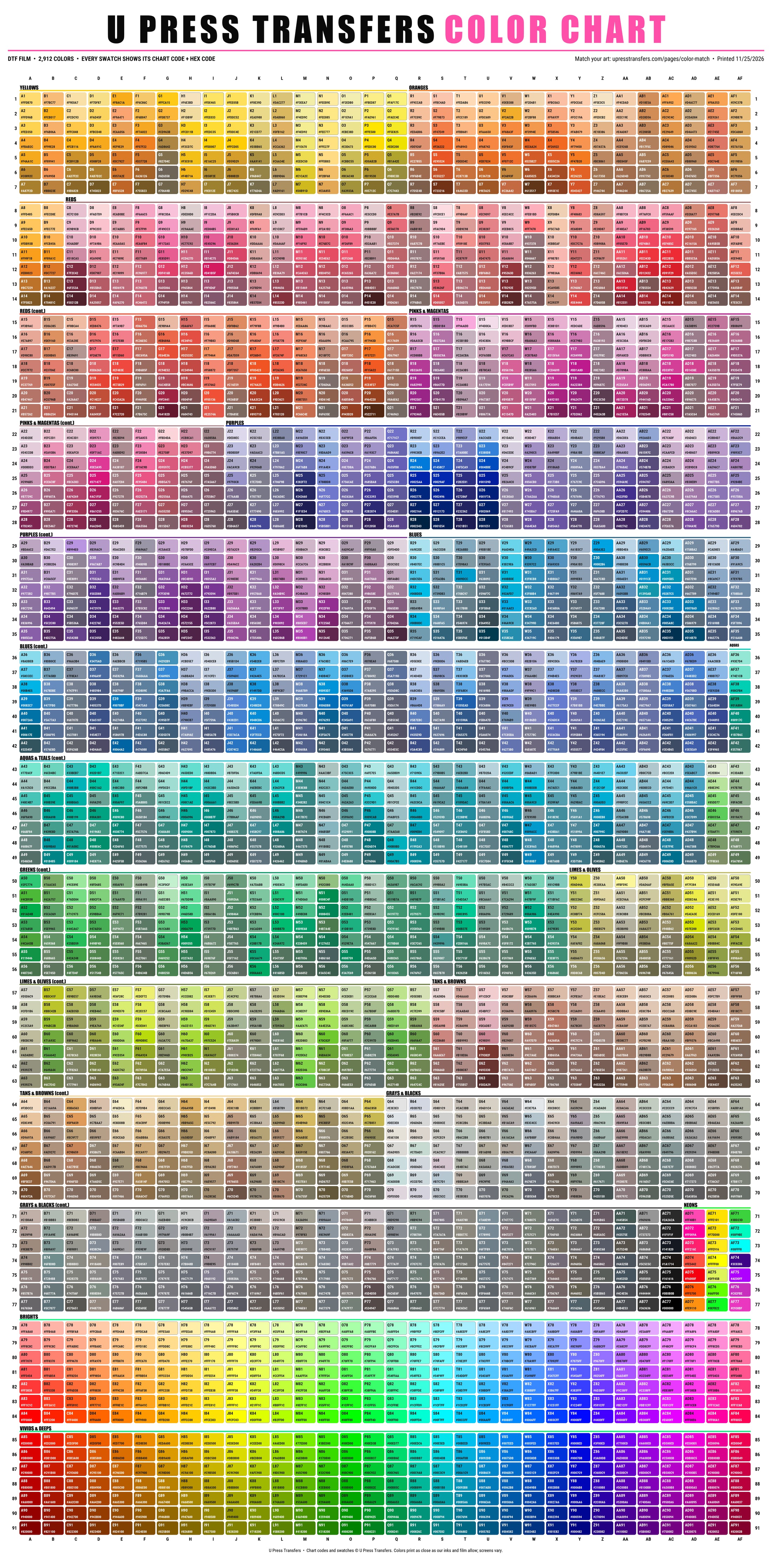
Please note: we can only guarantee a color match for swatches picked from our color chart. Colors typed in or picked here print as close as our inks allow.
Choose a starting color
Use the color picker, type a hex code, or tap a swatch on the chart.
Free - up to 5 strips per order. Add them to any order, or order them on their own (ship or local pickup). Each square is printed with its code, so you can see the real ink and use that code in your design.
Or tap the chart
Your design is small
At 300 DPI it prints wide. Designs 5" wide or smaller can look small or soft on a shirt.
Your design is ready
If the download doesn't start, right-click the picture (or press and hold on a phone) and choose Save image.